Description
Features:
1. Bluetooth connection is easy. Once pairing is complete, the device connects automatically when it is turned back on.
2. Easy to use. The unlimited 360-degree angle can be remotely controlled in all directions.
3. With the learning function, it can be started remotely. Using the infrared learning function, it can be switched on remotely after learning the switch button of the original infrared remote control.
Bluetooth pairing method:
Open Bluetooth in your device's system settings, search for the Bluetooth name "HID Remote01" and then click on Pairing.
The method for turning the machine key on and off to learn infrared booting:
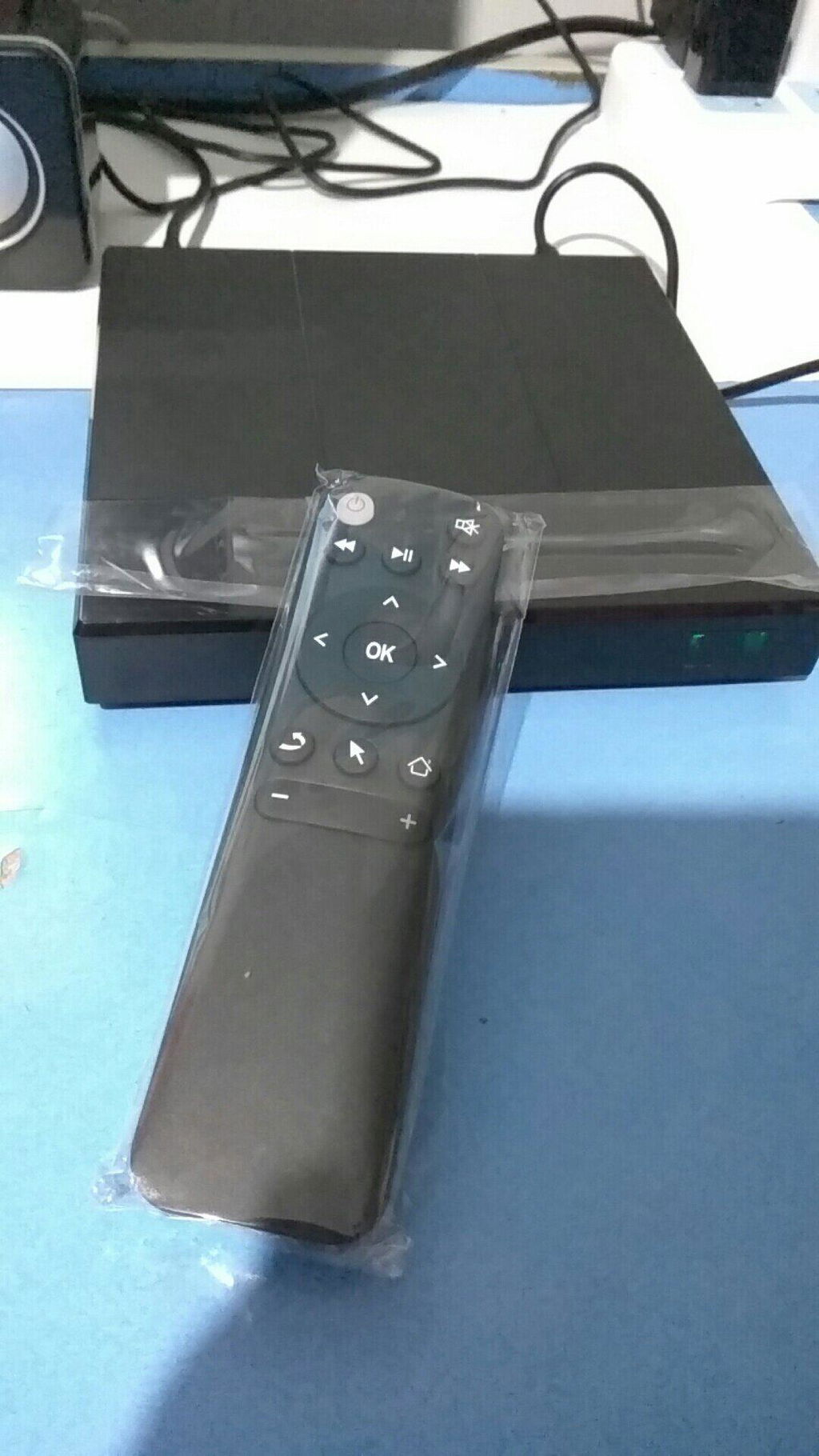
1. Press the “OK” button and the “Power” button of the Bluetooth remote control simultaneously for 3 seconds, release them after the red light is on continuously.
2. The Bluetooth remote control and the programmed remote control: the two remote controls are aligned head to head, the distance is no more than 2 cm, press the button to be programmed on the programmed remote control a few times, the red light of the Bluetooth remote control will flash a few times and then go out, programming successful.
3. After learning, the power switch of the Bluetooth remote control can be turned on remotely.
Note: After learning, the switch button will switch to infrared, not Bluetooth, so press the switch button to point at the device to control it remotely.
Here's how to reset the power switch to factory settings:
Press the “OK” and “Volume +” buttons simultaneously until the red light flashes rapidly and then goes out; the learned infrared code value will then be deleted and the device will return to factory settings.
Package contents:
1 x remote control (without battery)
1. Bluetooth connection is easy. Once pairing is complete, the device connects automatically when it is turned back on.
2. Easy to use. The unlimited 360-degree angle can be remotely controlled in all directions.
3. With the learning function, it can be started remotely. Using the infrared learning function, it can be switched on remotely after learning the switch button of the original infrared remote control.
Bluetooth pairing method:
Open Bluetooth in your device's system settings, search for the Bluetooth name "HID Remote01" and then click on Pairing.
The method for turning the machine key on and off to learn infrared booting:
1. Press the “OK” button and the “Power” button of the Bluetooth remote control simultaneously for 3 seconds, release them after the red light is on continuously.
2. The Bluetooth remote control and the programmed remote control: the two remote controls are aligned head to head, the distance is no more than 2 cm, press the button to be programmed on the programmed remote control a few times, the red light of the Bluetooth remote control will flash a few times and then go out, programming successful.
3. After learning, the power switch of the Bluetooth remote control can be turned on remotely.
Note: After learning, the switch button will switch to infrared, not Bluetooth, so press the switch button to point at the device to control it remotely.
Here's how to reset the power switch to factory settings:
Press the “OK” and “Volume +” buttons simultaneously until the red light flashes rapidly and then goes out; the learned infrared code value will then be deleted and the device will return to factory settings.
Package contents:
1 x remote control (without battery)